Botlord Platform
Botlord Platform
One Windows app, with traffic modules unlocked by your plan.
Start in the platform shell, open an installed module, and build a campaign against that module’s shared Configuration. This guide explains current module availability, the six-step builder, campaign overrides, profiles and monitoring. Screenshots use demo data from Platform 1.0.588; labels and access can vary by build and license.
Install and open Botlord Platform
Download Botlord Platform from the Download page or Software in your dashboard. The Windows desktop app hosts the modules your license unlocks; you do not need a separate installer for each module.
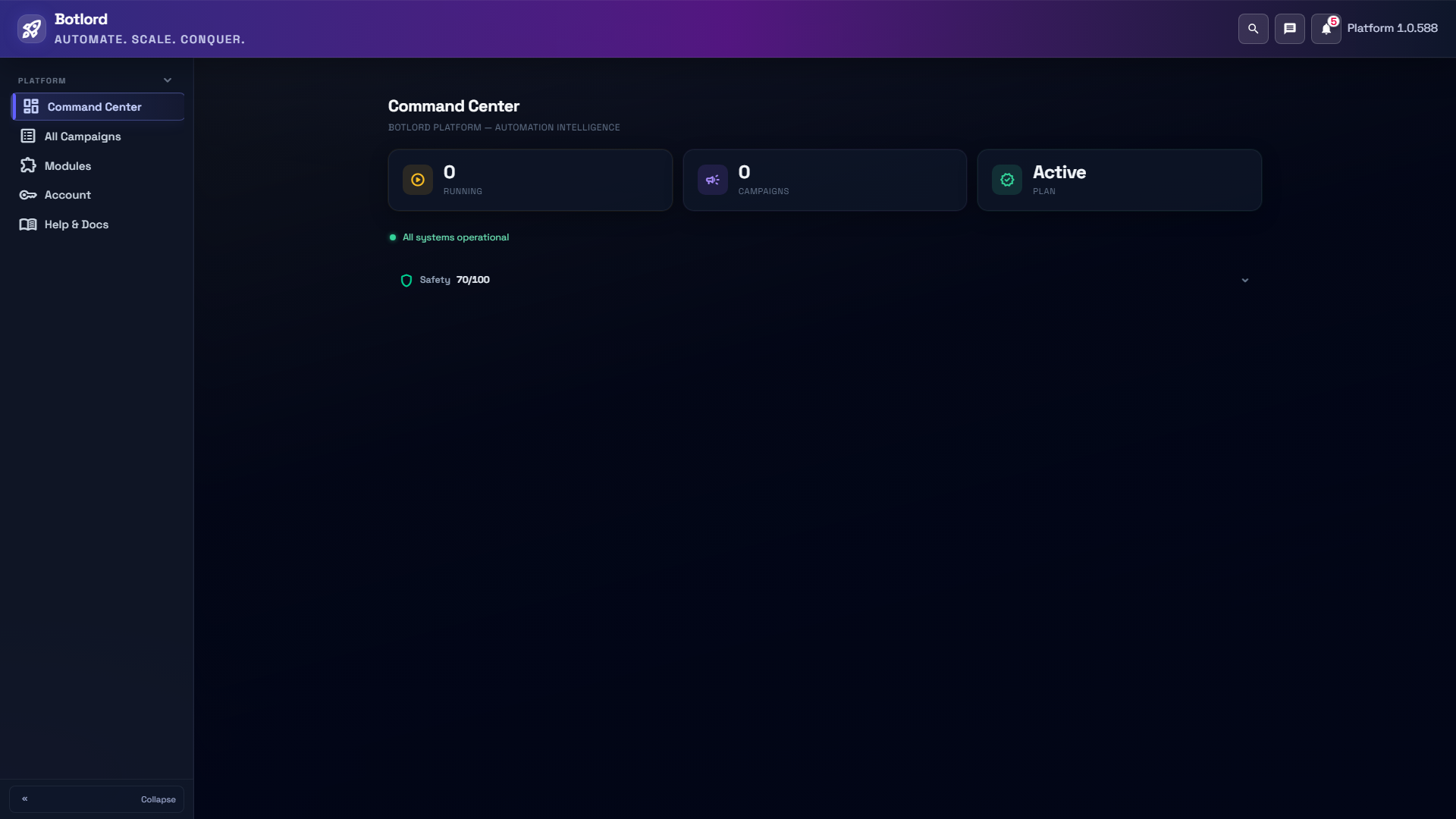
Command Center is the platform overview. All Campaigns shows campaigns across modules. Open Modules → Installed to enter a module workspace; Store shows the catalog. Account contains plan and license information, and Help & Docs contains update, setup and support links.
Use the stable channel for normal work. If the app offers Restart to install, finish your work and stop running campaigns before restarting. Beta is a separate channel for testing pre-release builds.
Plans, licenses and availability
Starter lets you choose one module at checkout: Search Traffic or Ad Traffic. It does not include both. Scale includes Search Traffic and Ad Traffic. Enterprise includes the wider traffic-module bundle, with roadmap modules becoming usable only when released.
Starter Search includes Google search; Starter Ad includes Google Ads. Scale and Enterprise expand engine access within the included families. Check the current pricing page and your license for the engines and limits available to you.
Activate your platform license, then check Modules → Installed. An unlocked module can be opened; a planned or coming-soon catalog item is not a runnable engine. Device seats and concurrency are plan limits, not settings that a campaign override can bypass.
Ready modules and the roadmap
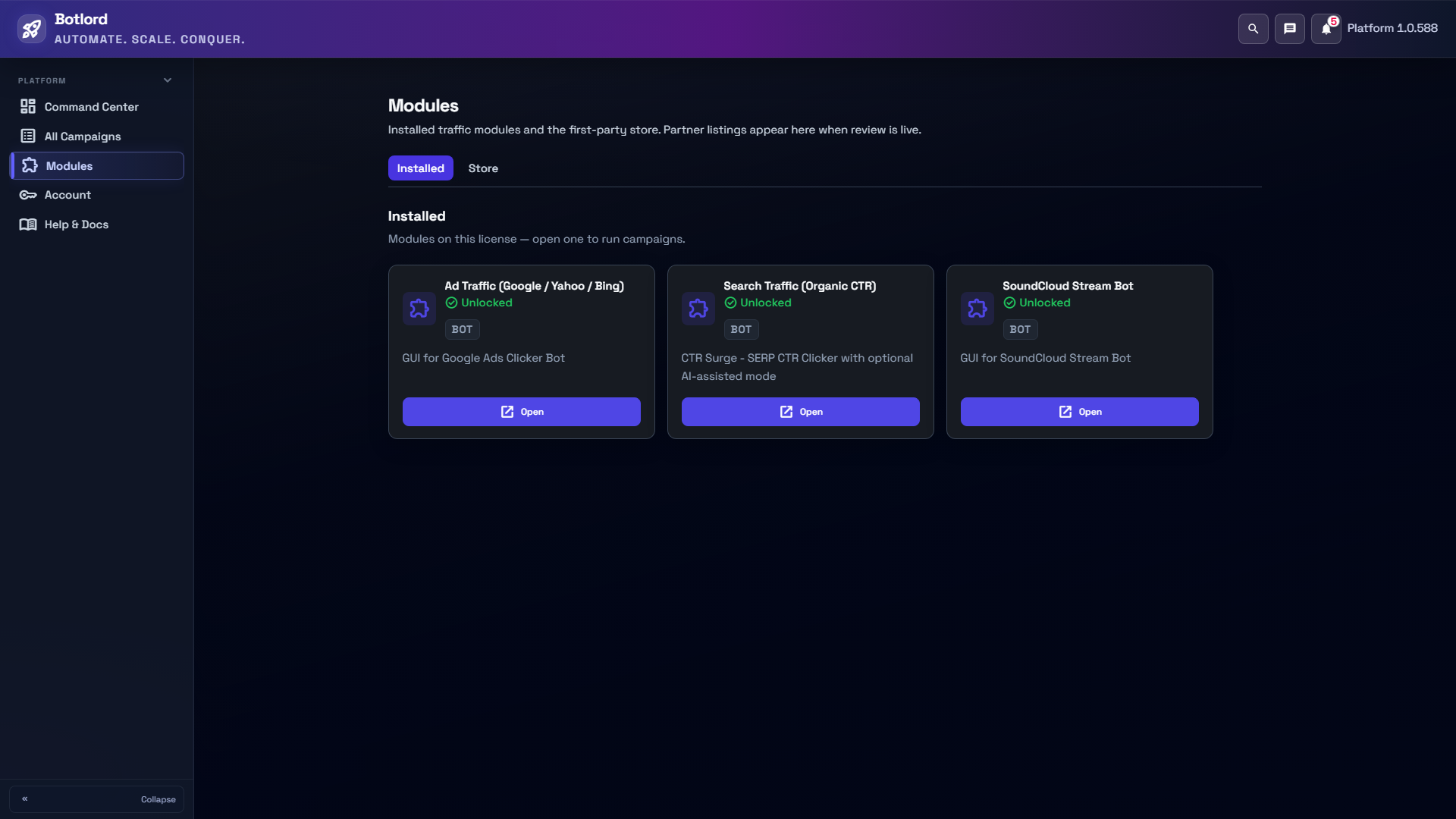
Search Traffic (CTR Surge), Ad Traffic (Google Ads Clicker and Yahoo Ads), and Streaming Traffic (SoundCloud) are ready module families in the current catalog. Engine access still depends on your plan.
Marketplace Traffic, including Amazon PPC, is available on Enterprise. Social Traffic and additional streaming tools are roadmap items. Do not treat a visible dropdown value, historical guide or Enterprise roadmap listing as proof that an engine has shipped.
Each opened module has its own Campaigns, Configuration, setup and activity views. Return to the platform shell with Back to Botlord. The screenshots show a demo license; your Installed list can differ.
Build and save one campaign
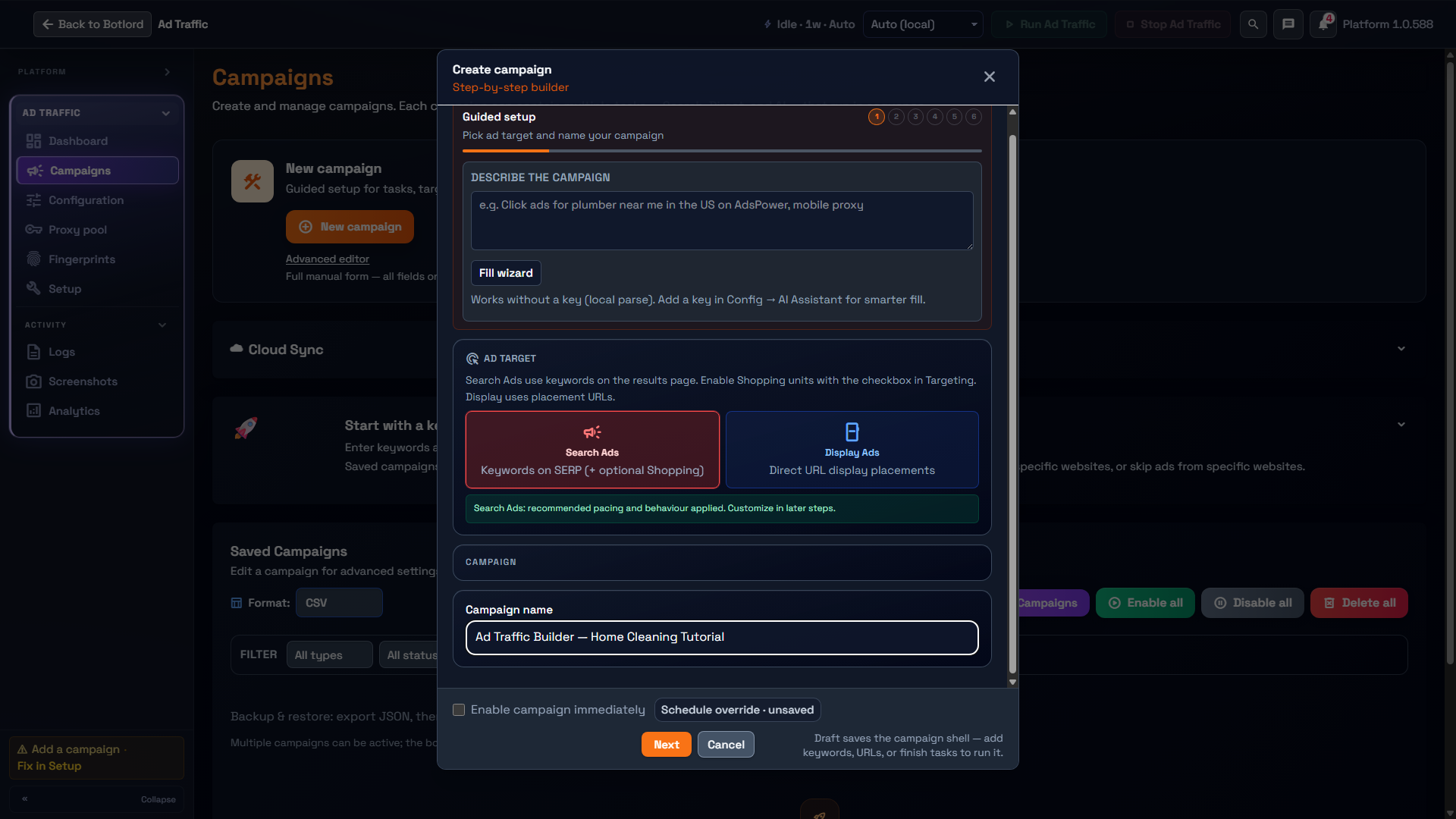
Open a module, choose Campaigns, then New campaign. The guided builder has six steps: Campaign details, Setup, Tasks, Behavior, Lifecycle, and Review. Start with a clear name and one simple purpose.
In Ad Traffic, choose Search Ads for keyword-based sponsored results or Display Ads for placement URLs. Setup contains engine, concurrency, IP/proxy and locale choices. Tasks contains keywords or URLs and targeting; Behavior contains session style and search/click behavior; Lifecycle contains profiles, schedule and run pacing.
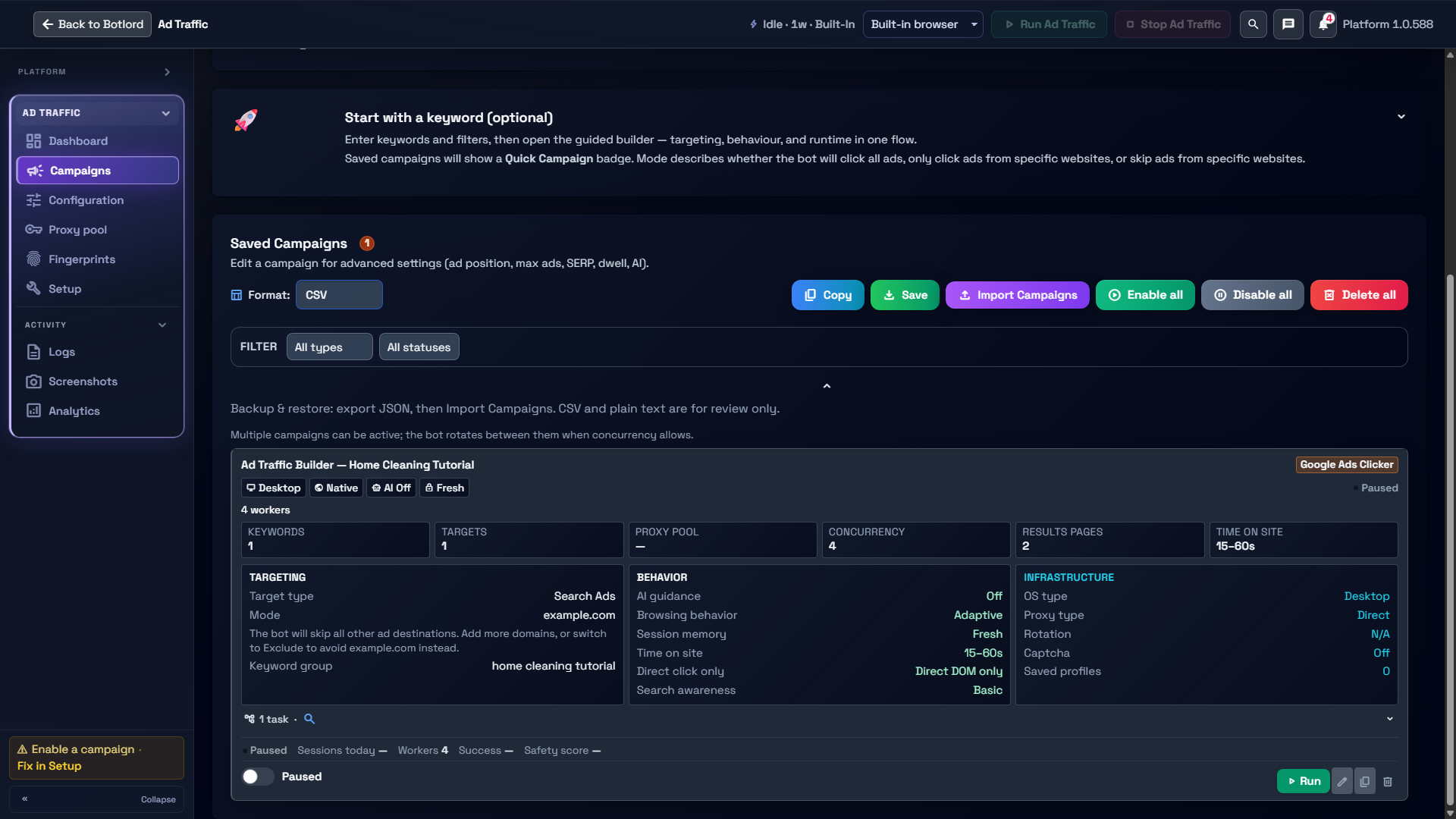
Review the summary and resolve validation messages before creating. Leave Enable campaign immediately unchecked to save without activating the campaign. The saved card should show Paused. An incomplete draft can be saved as a campaign shell, but needs valid keywords, URLs or completed tasks before it can run.
Return to the saved card to edit the campaign. Enabling a campaign and starting a module are distinct actions: review setup, runtime readiness, license limits and the schedule before using them. Saving inactive does not prove a run would succeed.
Shared Configuration versus campaign overrides
Configuration supplies the module baseline, including runtime/provider setup and shared service credentials. Campaign fields change that campaign. Task fields can narrow the task further; follow the field’s inheritance hint rather than assuming every blank value means zero or disabled.
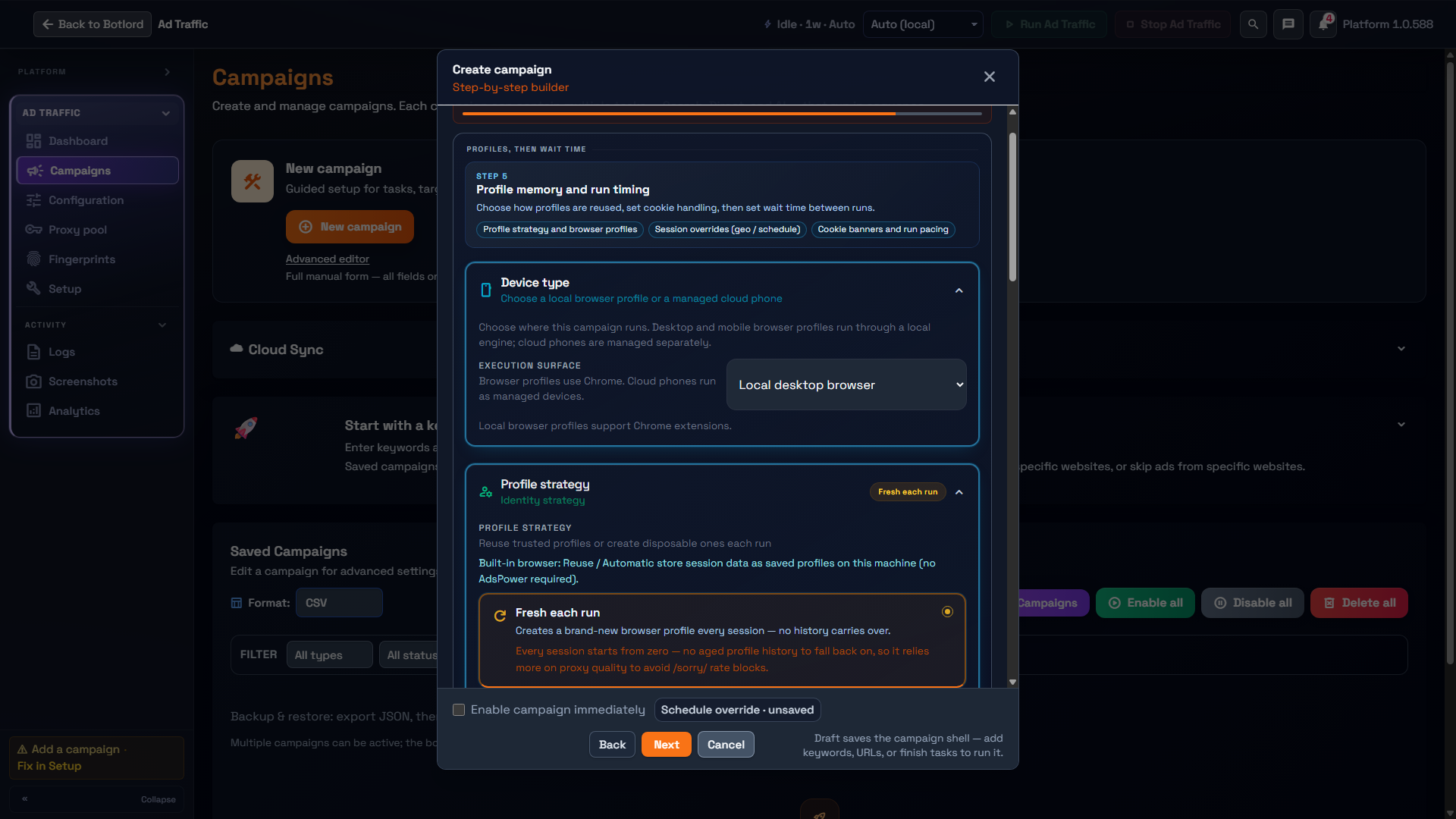
Concurrency is a clear example: leave the campaign field blank to use the global setting, or enter a number to override it for that campaign. Licensed concurrency and session cooldown limits still apply. Schedule offers Global default, custom hours/days, or Off for the campaign.
Before changing a shared baseline, inspect existing campaigns for explicit overrides. An existing saved value can continue to take precedence after the global setting changes. Reopen the campaign, review its summary, and confirm the intended settings after restarting the app.
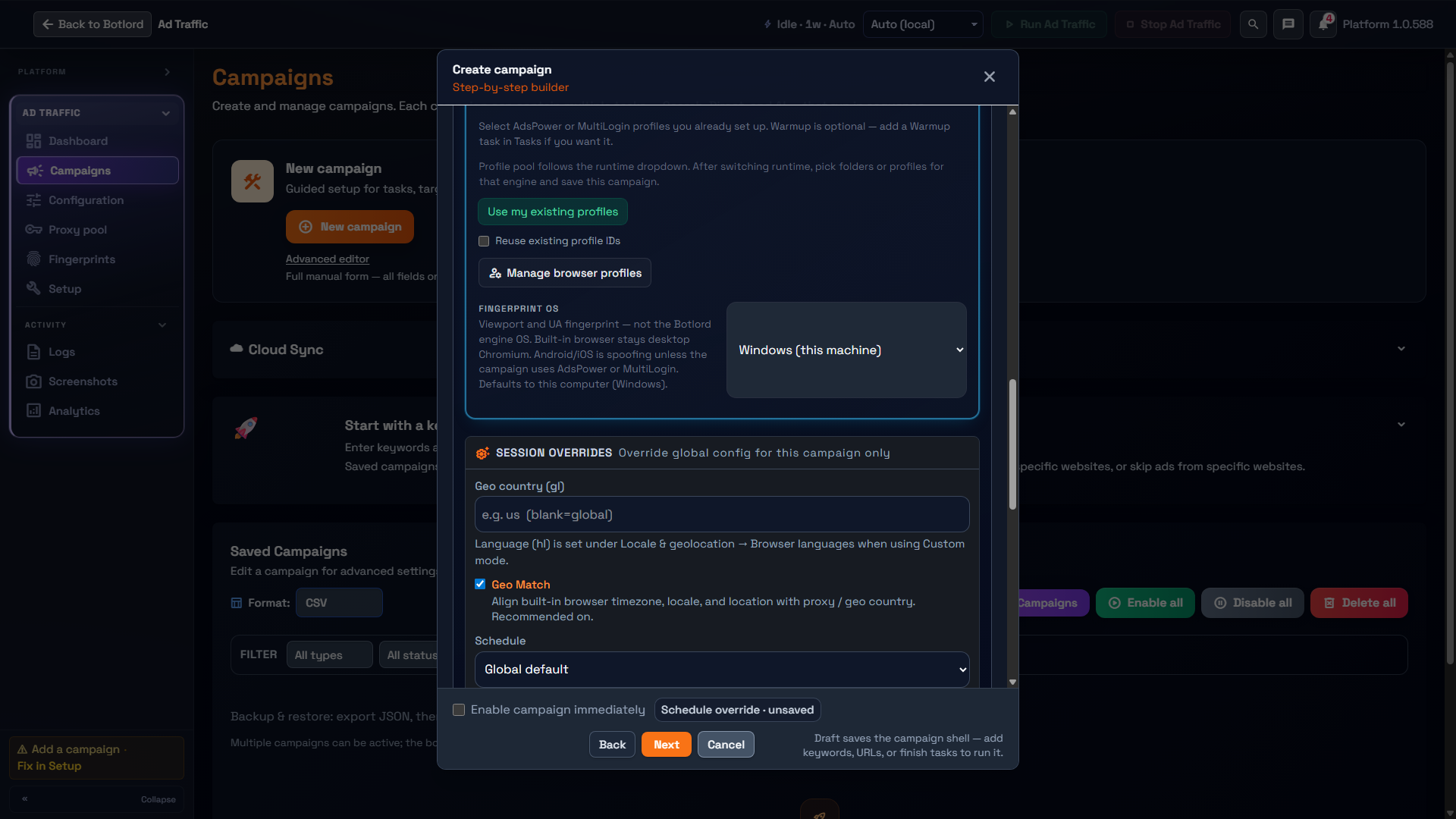
Tasks and targeting
Search tasks use keywords and search results. Direct tasks visit URLs without a search step. Warmup uses the warmup task defaults. AI tasks use prompt-led browsing and require the configured AI provider to be ready.
Ad Traffic keyword targeting can be sufficient on its own. Optional tasks add other workflows; finish or remove an optional task before creating. Search Traffic asks for at least one task. Save the task editor before continuing through the campaign builder.
Include domains restricts matching to listed destinations. Exclude domains skips listed destinations. A domain and a full URL can have different matching scope; read the field hint. The demo uses home cleaning tutorial and example.com to illustrate the form, not to demonstrate a successful live result.
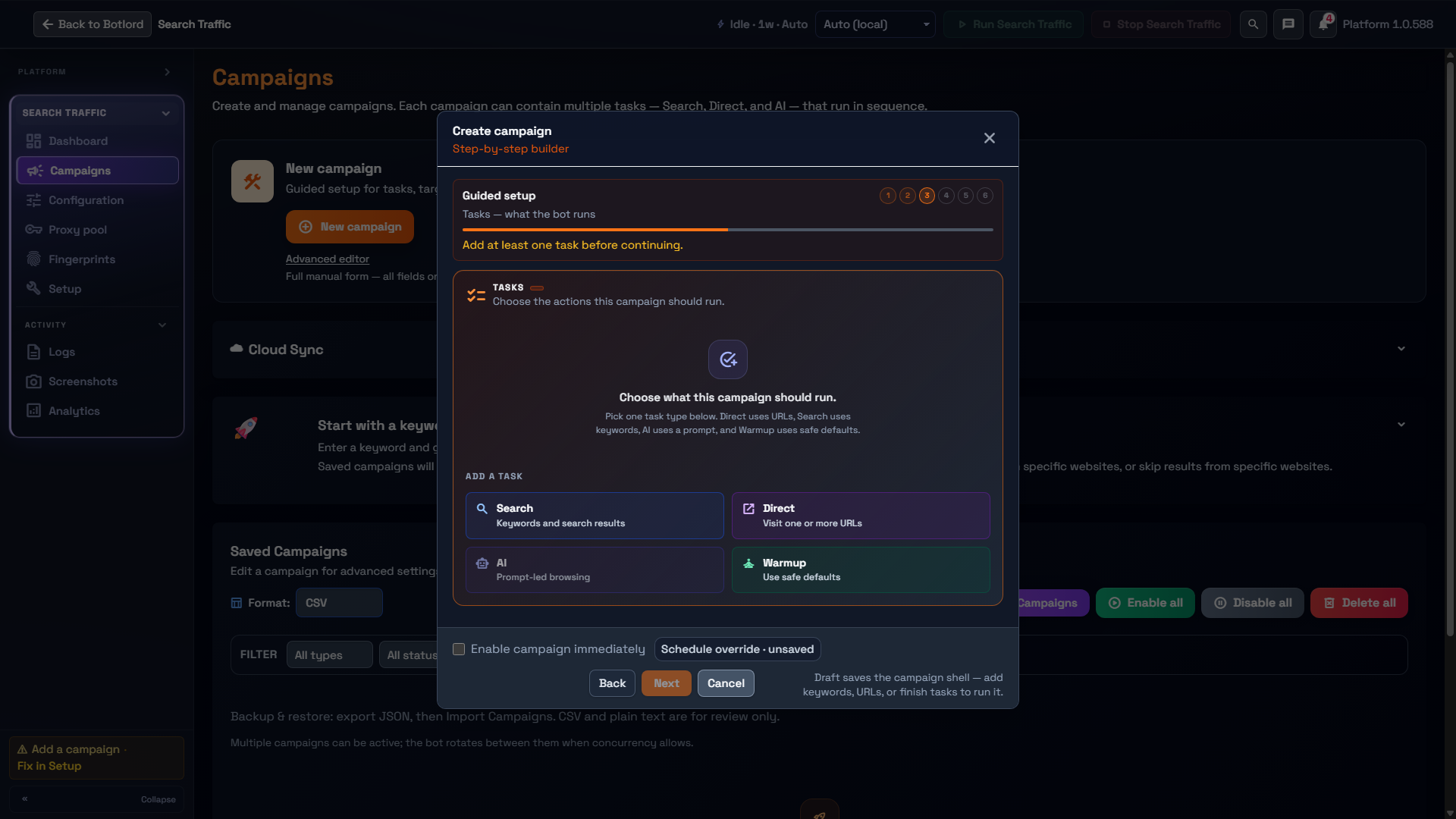
Device and profile strategy
Lifecycle contains Device type and Profile strategy. Local desktop and mobile browser profiles are different execution surfaces from managed cloud phones; choose the surface supported by your runtime and plan.
Fresh each run creates a new profile and carries no history between sessions. Reuse and automatic strategies preserve or select profile state where supported. Built-in browser saved profiles are local to the machine unless a supported sync feature is explicitly used.
Existing managed browser profiles come from the selected provider. Changing a campaign’s proxy source does not automatically replace a reused profile’s saved proxy: review Override profile proxy and its description.
IP modes and proxy sources
Setup separates the IP method from the proxy source. Proxy mode supports direct connection, a shared global pool, a campaign-specific custom list, or a configured managed provider. VPN, Android tethering and PPPoE/Fritzbox are separate connection methods with their own prerequisites.
No proxy uses this machine’s outbound IP. Global pool selects from the shared Proxy pool. Custom list belongs to this campaign and overrides the global pool for it. Managed provider requires the provider credentials in Configuration. Check the IP summary after selecting a source.
Proxy rotation is separate from source selection. Pool/custom-list rotation and managed-provider session behavior are not interchangeable. Keep proxy credentials private. Check format validates pasted text; Test live connection performs a real network request.
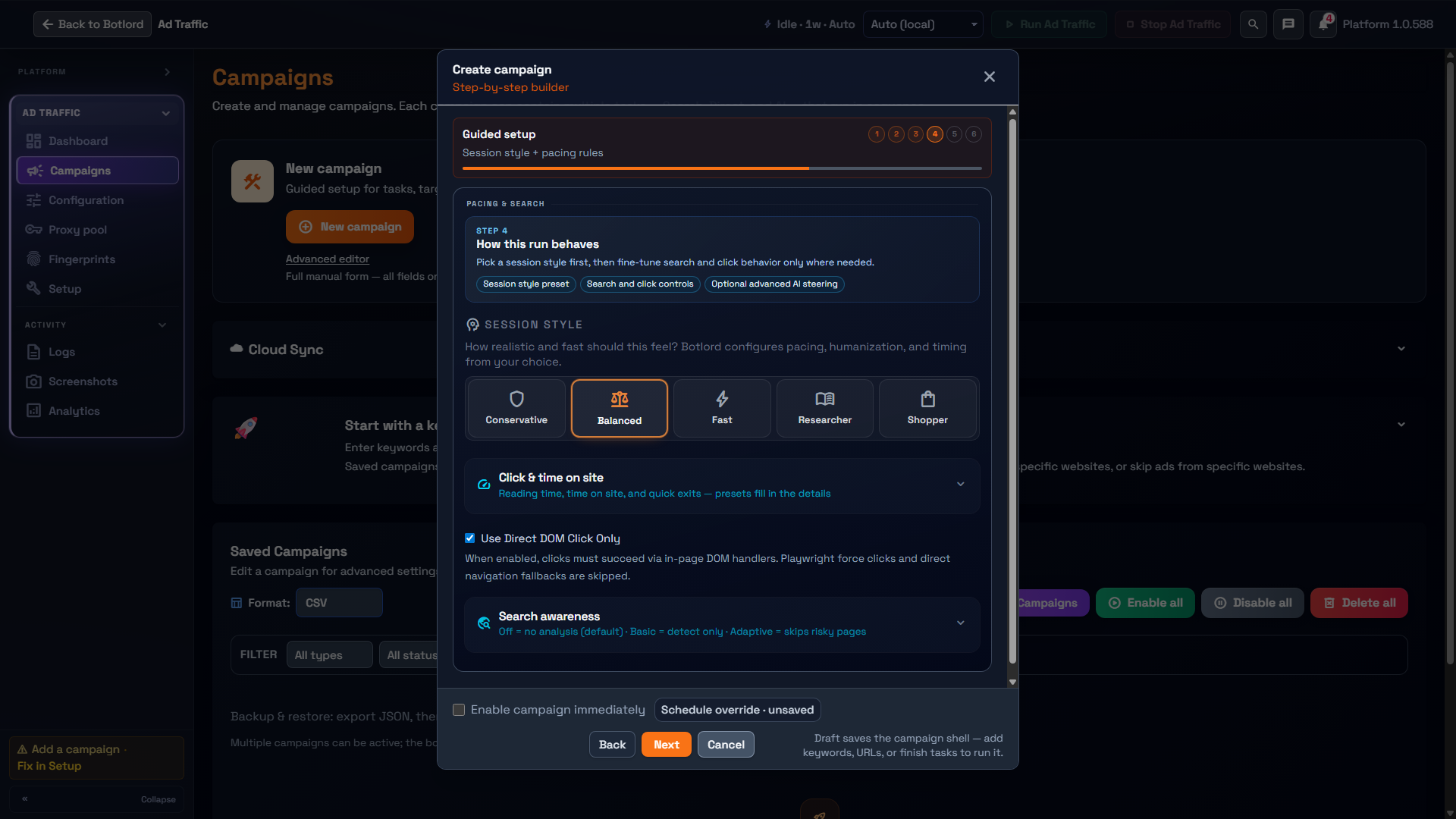
Behavior and search awareness
Choose a session style before editing individual timing controls. The current Ad Traffic builder offers Conservative, Balanced, Fast, Researcher and Shopper. Presets establish pacing; inspect the values before overriding them.
Search awareness distinguishes Off, Basic and Adaptive. Its description separates detection from adaptive decisions. It is different from an AI task or the campaign AI switch; configuring one does not enable every intelligence feature.
Direct DOM Click Only restricts click handling by skipping force-click and direct-navigation fallbacks. Use the displayed help to understand the trade-off. Scores, presets and intelligence features are diagnostics and behavior choices, not guarantees of external results.
Schedule, pacing and monitoring
Lifecycle separates schedule windows from the wait between full runs. Global default inherits the shared schedule; a custom schedule uses the campaign’s hours and days. Off removes that schedule restriction; it does not activate a paused campaign.
The schedule timezone field uses an IANA zone such as Europe/London. Its hint explains the blank fallback; proxy location is not automatically the schedule timezone. Review dates, weekdays, hours and the final summary together.
Run pacing sets the pause after a full run. Page dwell belongs to Behavior, and licensed session cooldown may impose a separate limit. After saving, use Logs and Analytics to inspect actual events and counters. Empty counters are not evidence of successful traffic.
Existing campaigns and older installers
Use the platform installer for current modules. Historical standalone guides can describe older screens or engines. Check the current module catalog and license instead of assuming an old download or engine name means current availability.
Before updating, export a JSON backup of your campaigns. Reopen an older campaign after the update and check its tasks, targeting, explicit overrides, profile strategy, schedule and inactive state. Compare the Review summary with the intended configuration before enabling it.
Do not remove an explicit override just to make a new default apply without checking its purpose. Keep the original backup so an unexpected conversion or changed value can be compared and reported.
Updates and support
Check Help & Docs for the installed version, update status, documentation and support links. Stop active work before applying an update. Test the saved configuration after an update before relying on unattended operation.
Public changelog entries distinguish documentation changes from product releases. A docs refresh does not mean a new desktop build was shipped. Use the Software dashboard and in-app version for your actual build.