Ad Traffic is a module inside Botlord Platform. Install and activate the platform first, then configure the engines available to your plan.
Campaign and task setup
Keywords, click targets, concurrency, dwell time, and task types available in the campaign builder.
4 min readHow campaigns work
A campaign defines what to search, what to click, and how to behave after clicking. Workers pick tasks from the campaign queue, execute them, and loop until stopped or the schedule window closes.
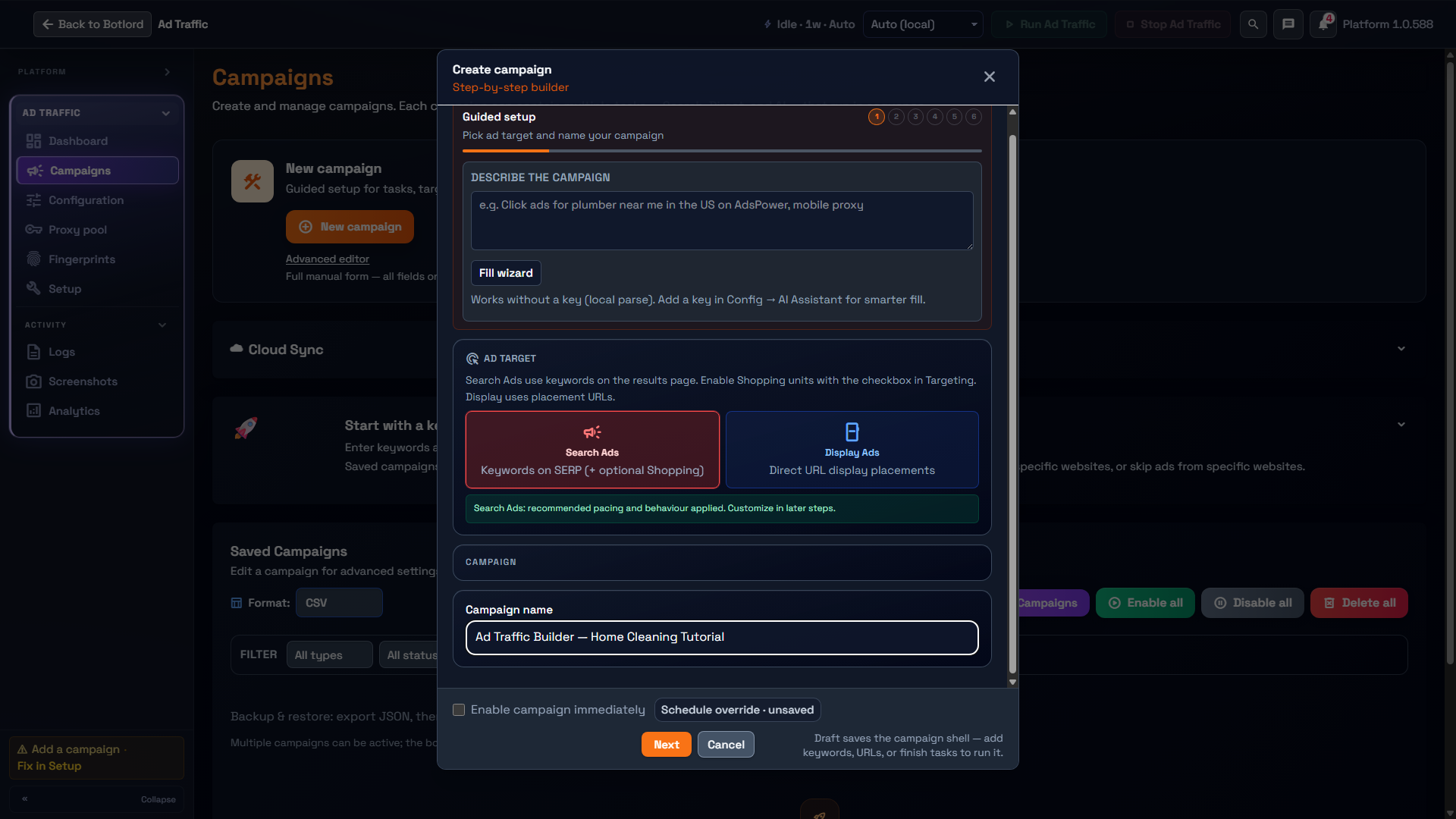
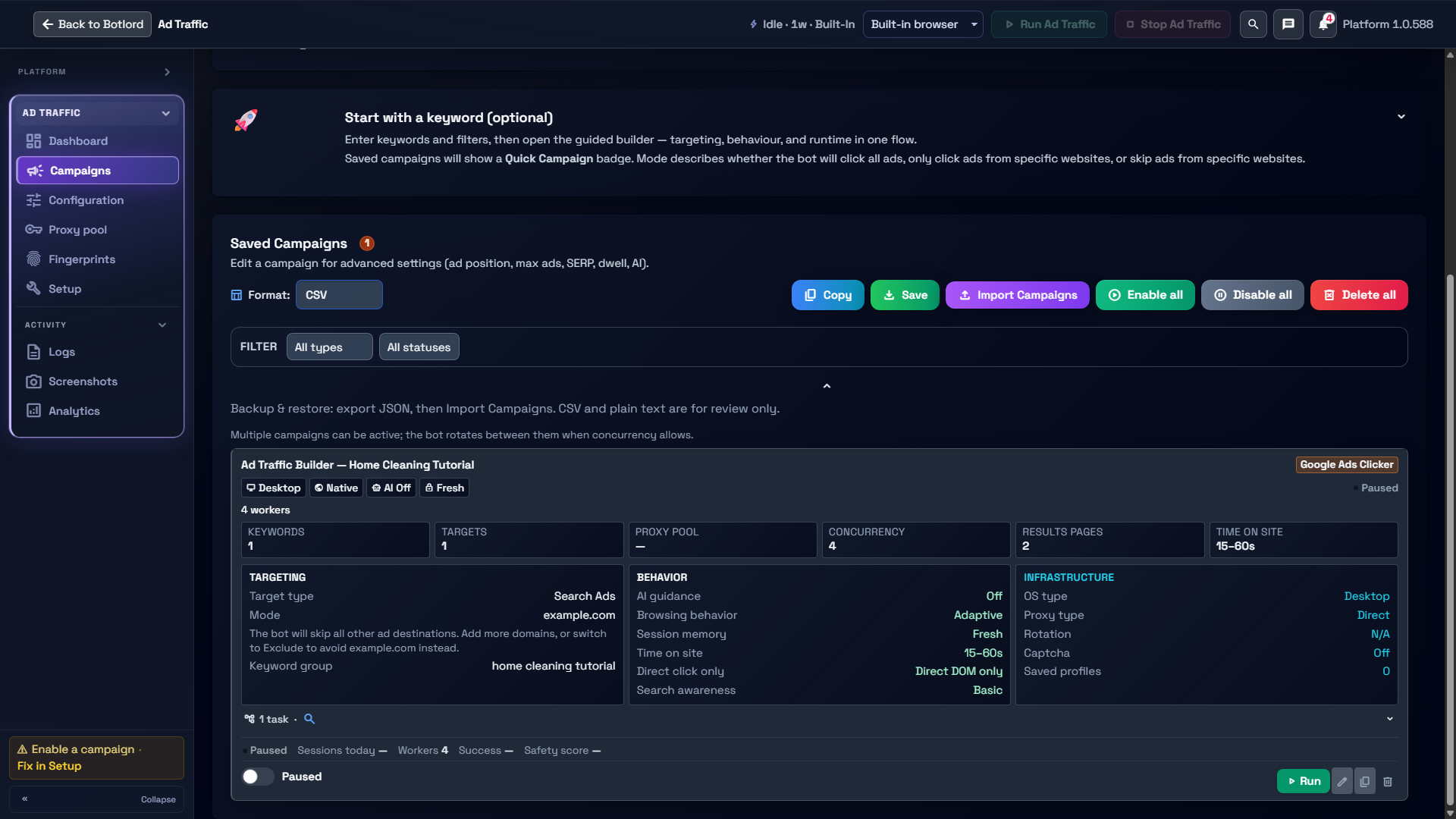
The guided builder has six steps: Campaign details, Setup, Tasks, Behavior, Lifecycle, and Review. Setup holds engine and IP/proxy choices; Tasks holds targeting; Lifecycle holds profiles, schedule and run pacing. Save inactive first, then confirm the saved card shows Paused.
Task types
Every campaign is built from one or more task types. Each task type defines what kind of session the bot runs — from a standard ad click to a fully autonomous AI-driven session.
Search tasks
Search tasks are the standard mode for all three ad engines. The bot navigates to the search engine, types your keyword, waits for sponsored results, and clicks the target ad.
Every campaign builder setting — dwell time, pages to visit, bounce rate, domain filter, SERP exploration — applies to search tasks. This is what you use for the majority of Google and Yahoo Ads workflows.
Direct tasks
Direct tasks skip the search engine entirely and navigate straight to a URL. The bot lands on the page and behaves normally — dwell, scroll, internal navigation — without coming from a SERP.
Use direct tasks to send referral-style traffic to a landing page, warm up a specific URL before a search campaign, or supplement organic click sessions with direct visits. They register as a page visit in analytics but not as search-driven traffic.
Direct tasks honour all on-site behaviour settings (dwell, pages to visit, bounce rate) and respect your profile strategy the same way search tasks do.
Warmup tasks
Warmup tasks run normal browsing sessions to age a browser profile before it does any CTR or ad-click work. The bot visits content sites, reads articles, and navigates organically — no ad clicks, no keyword searches.
Templates: Casual (general news and lifestyle), Researcher (long-form articles), Shopping (product pages and comparisons), Mobile (mobile viewport and navigation patterns), Brand Boost (brand name searches and brand pages).
Use warmup tasks when you intentionally want browsing history on a saved profile. Review the current lifecycle controls; warmup does not imply automatic eligibility after a fixed number of days.
AI Agent tasks
AI Agent tasks run a fully autonomous browsing session guided by a natural-language prompt you write. There is no fixed route — the AI plans and executes every step: what to search, which result to click, how long to stay, which links to follow.
Example prompt: 'You are a small business owner comparing payroll software. Search Google for payroll tools for small teams, read a couple of organic results, then find a sponsored listing and click it like you are genuinely evaluating the product. Browse the landing page for at least a minute.'
Use AI Agent tasks when you need complex, varied session patterns that are hard to detect as scripted. Each run produces a unique session based on the prompt.
Requires a ready AI provider in Configuration → AI Assistant. See the AI steering section for provider recommendations.
Click target and bounce rate
Set Click Target to Ads to click sponsored results, Organic to click non-ad results, or GMB to target Google Business Profile listings.
Bounce rate controls what percentage of sessions exit immediately after landing (no scroll, no internal navigation). A 10–20% bounce rate adds variety to session shapes.
Random click order shuffles which result gets clicked when multiple matches are on the page. Useful when you want to spread signals across several advertisers.
Dwell and on-site behaviour
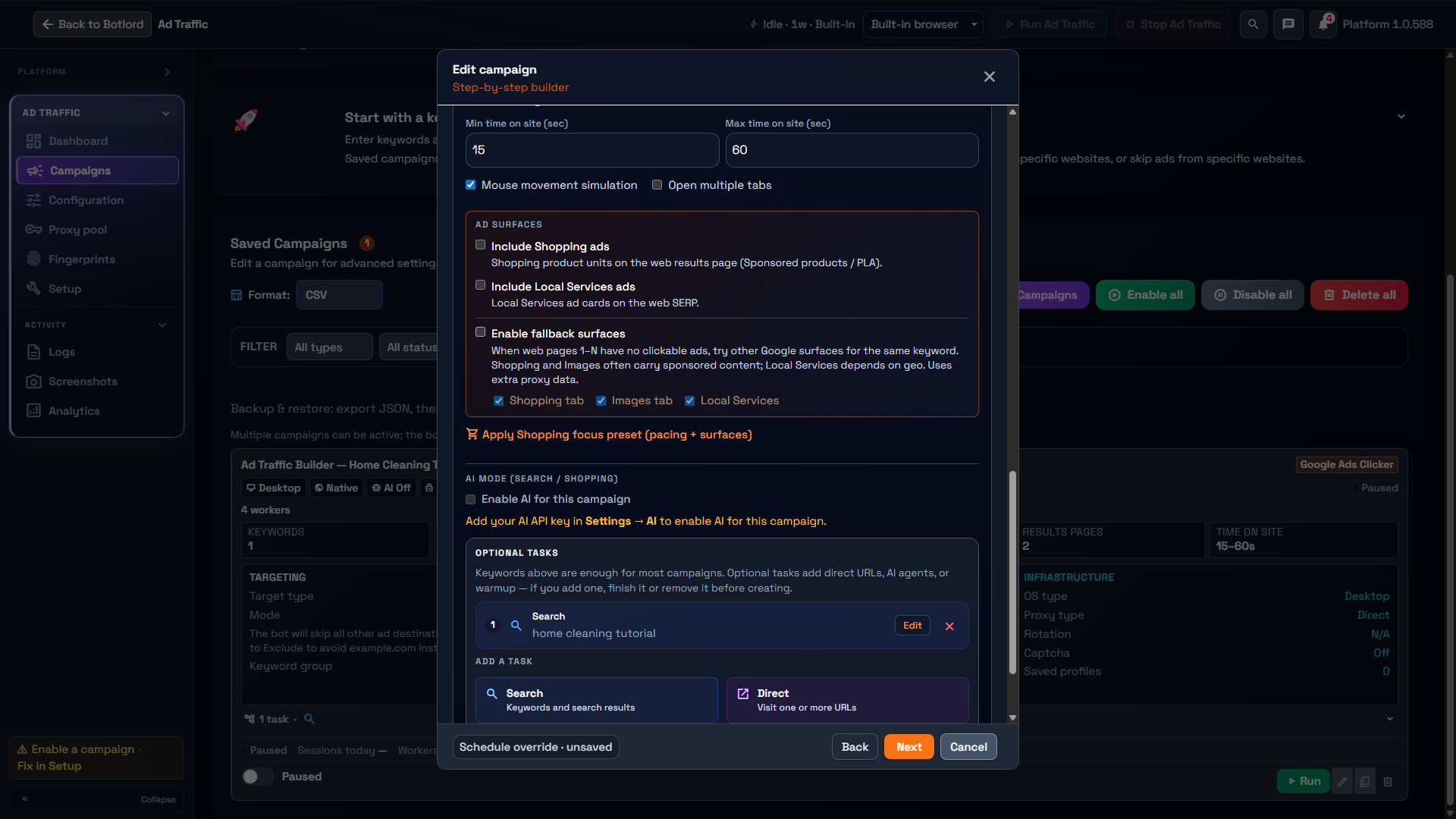
Dwell time is how long the bot stays on the target page. Set minimum and maximum in milliseconds — the bot picks a random value in that range each session.
Pages to visit controls how many internal links the bot follows after landing. Setting this above 1 makes sessions look more like real readers.
SERP Exploration, when enabled, scrolls and hovers on results before clicking the target. It simulates a user reading the page before deciding to click.
Schedule windows
Set a start hour and end hour to restrict when workers run. The bot automatically pauses outside the window and resumes when it opens.
Overnight windows are supported — a start hour of 22 and end hour of 6 runs from 10pm to 6am.
Enable specific weekdays only to mirror real business hours traffic patterns. A common setup is Monday–Friday, 7am to midnight.