Ad Traffic is a module inside Botlord Platform. Install and activate the platform first, then configure the engines available to your plan.
Engines and availability
Which ad networks are included, how to switch between them, and what each engine does differently.
1 min readReady engines and planned modules
Ad Traffic includes Google Ads, with Yahoo Ads on Scale and Enterprise. Starter lets you choose Search Traffic or Ad Traffic. Amazon PPC belongs to Enterprise Marketplace Traffic.
Select the engine in the campaign settings before starting. You cannot run multiple engines simultaneously in one campaign — create separate campaigns per network if you need to run them in parallel.
Google Ads engine
The Google engine searches the configured keyword on google.com, waits for sponsored results, and clicks the target ad. It handles consent dialogs automatically and uses human-like timing between steps.
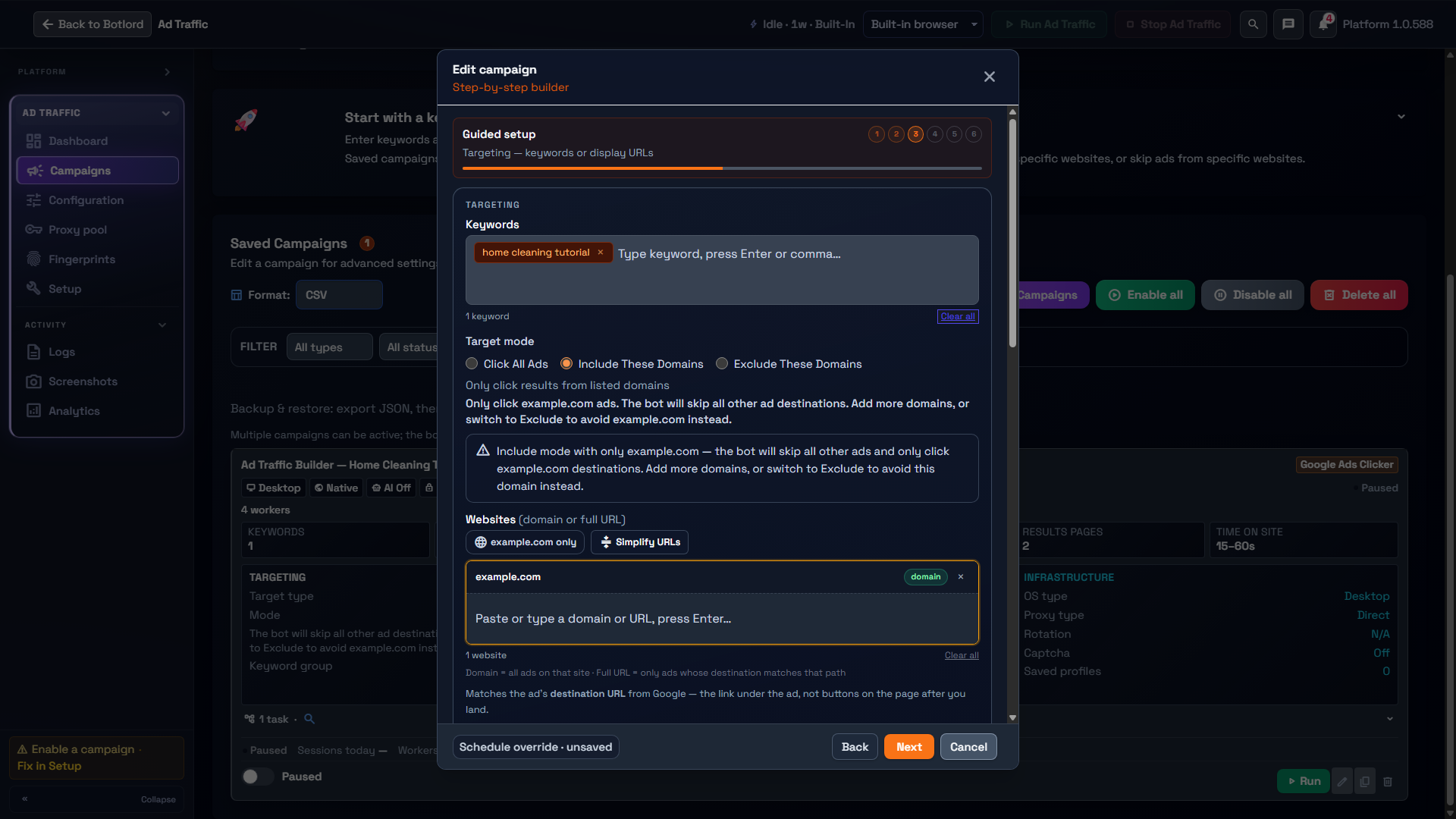
Domain filtering lets you restrict which advertisers get clicked — useful when you only want to register impressions for specific accounts. Set include or exclude lists in campaign targeting.
Yahoo Ads engine
Yahoo uses a direct SERP URL rather than the search box. The engine navigates directly to the Yahoo results page for the keyword, dismisses consent where needed, and clicks sponsored results.
Proxy geo matters more on Yahoo — match your proxy country to the Yahoo regional domain you are targeting.
Amazon PPC — Marketplace Traffic
Amazon PPC is available in Enterprise Marketplace Traffic, separately from Ad Traffic.