Search Traffic is a module inside Botlord Platform. Install and activate the platform first, then configure the engines available to your plan.
Campaign setup and task types
Search, direct, warmup, and AI Agent tasks — and how keyword groups and the campaign builder work.
3 min readSearch tasks and session shape
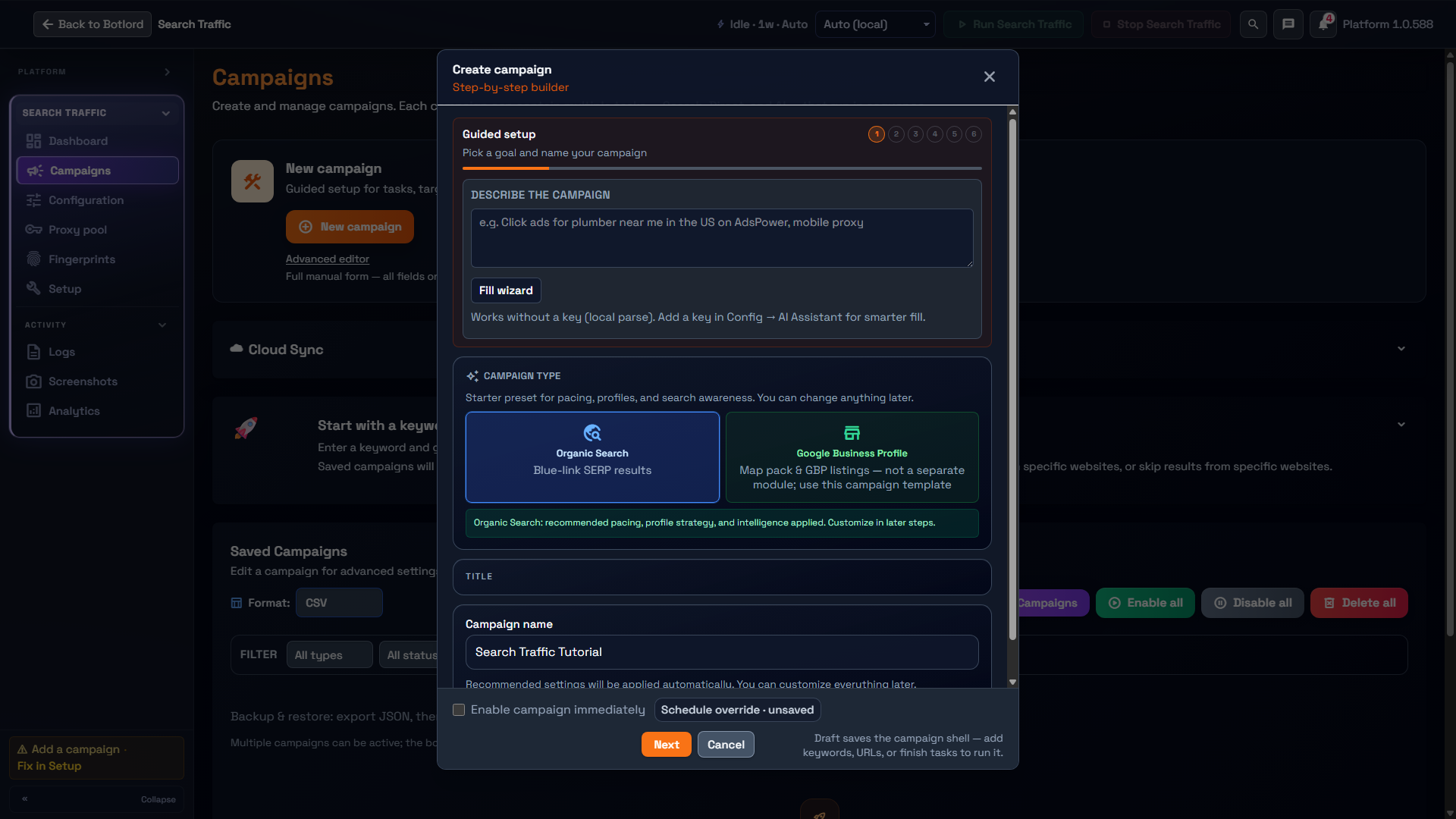
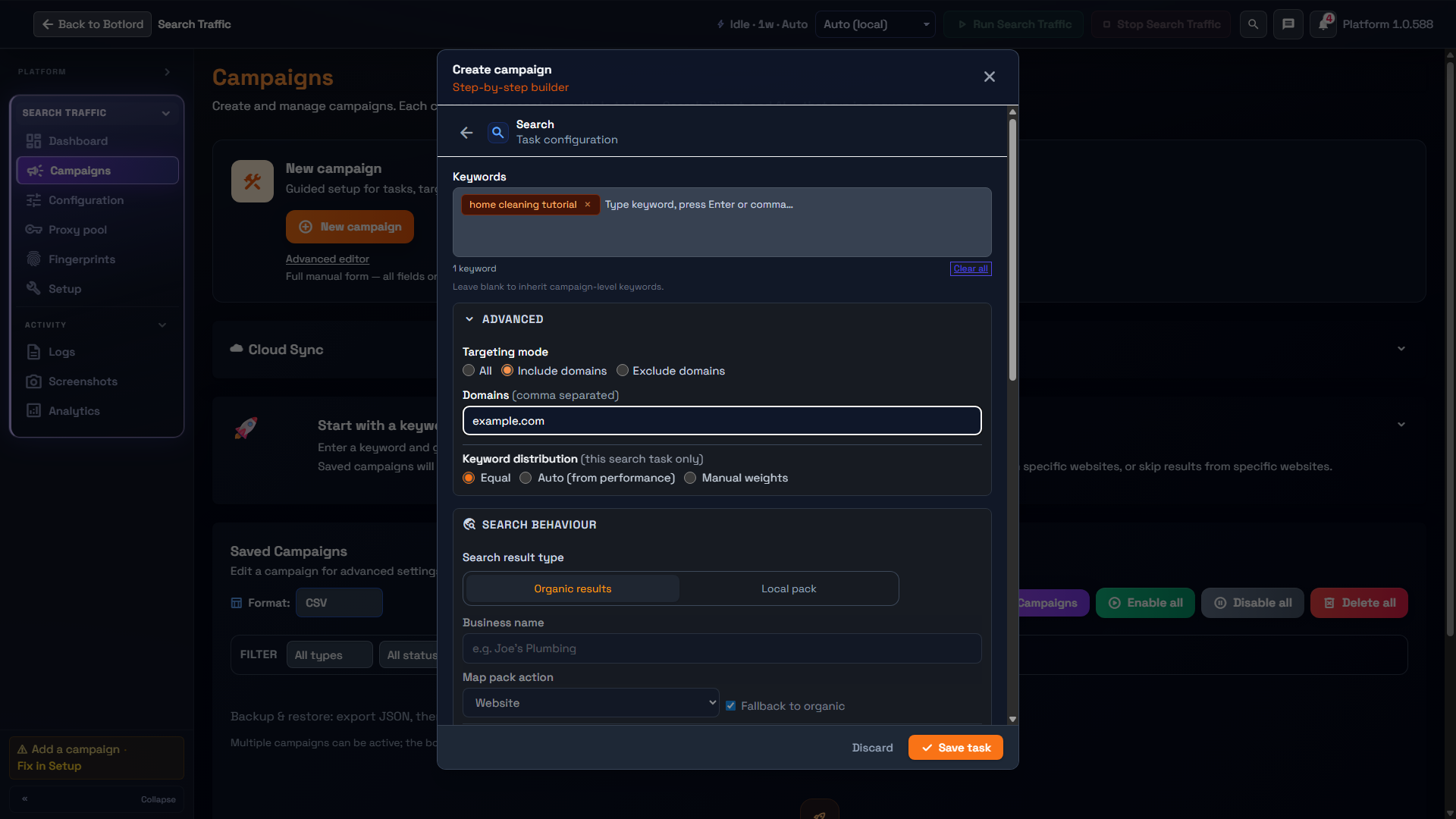
A search task is the standard CTR session: navigate to the engine → type keyword → wait for results → optional SERP exploration → click target → dwell on site → browse internal pages → exit. Every campaign starts here.
Start with the session style preset, then inspect the displayed minimum and maximum time fields. Follow each field’s unit label; milliseconds in exported settings are not interchangeable with seconds shown in the builder.
Pages to visit sets how many internal links the bot follows after clicking. Setting this to 2–4 makes sessions look like engaged readers rather than immediate bounces.
Direct tasks
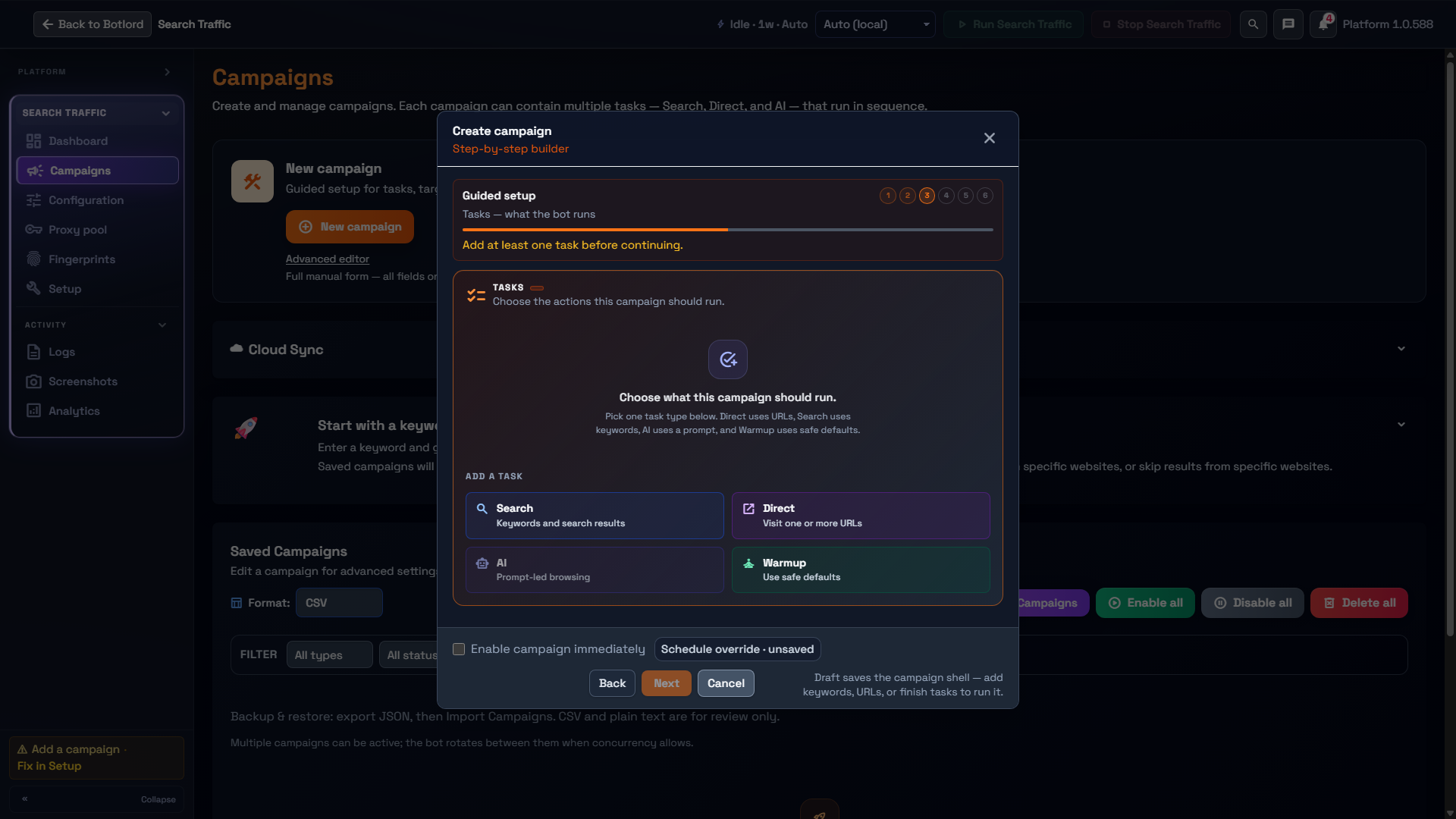
Direct tasks skip the search engine entirely and navigate straight to a URL. The bot lands on your target page and behaves normally — dwell, scroll, internal navigation — without coming from a SERP.
Use direct tasks to send referral-style traffic to a landing page, warm up a URL before a CTR campaign, or supplement organic click sessions with direct visits. They count as a visit in analytics but do not register as SERP-driven traffic.
Direct tasks support the same dwell, pages-to-visit, and bounce rate settings as search tasks. They also respect your schedule window and profile strategy — a direct task on a Reuse profiles profile uses an aged profile the same way a search task would.
Warmup tasks
Warmup tasks provide a browsing stage using the task’s defaults and configured options. Add the task only when it has a purpose in your campaign.
Check the task editor and Lifecycle profile strategy together; do not assume that adding a Warmup task makes a fresh profile persistent.
AI Agent tasks
AI Agent tasks are selected in the campaign builder as the task type — they replace the fixed search route with a fully autonomous session driven by a natural-language prompt you write.
Example: 'You are a marketing consultant researching SEO tools. Search Google for the best SEO platforms for agencies, read a couple of results, then find a sponsored listing and click it like you are evaluating the product for a client.' The AI plans and executes a unique session each time based on your prompt.
Use AI Agent tasks when you want varied, realistic sessions that are hard to detect as scripted. Each run produces a different path through the page — different scroll depth, different dwell, different internal links followed.
Requires a ready AI provider configured in Configuration → AI Assistant. See the AI features section in Advanced options for provider recommendations and cost guidance.
Schedule windows
Set a start hour and end hour to restrict when workers run. The bot pauses outside the window and resumes automatically when it opens. Overnight windows are supported — start 22, end 6 runs from 10pm to 6am.
Enable specific weekdays to mirror real organic traffic patterns. A common setup is Monday–Friday, 8am to midnight. Set campaign start and end dates for time-bounded runs — workers stop automatically on the end date.
Keyword groups
Keyword groups let you organise campaigns by topic or priority with independent settings per group. Each group can have its own dwell range, bounce rate, domain filter, and task list.
Workers pick the next group from the queue. Keyword weighting controls how often a group is picked — a group with weight 3 is picked three times as often as a group with weight 1.
Use groups to isolate high-value keywords from brand terms, or to test different session shapes on the same campaign.